
Once a link is no longer necessary, you can remove it from the protocol tag using the protocol configuration form.
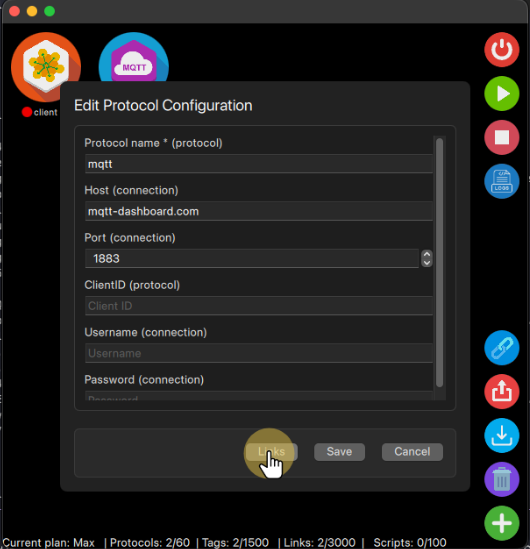
First you need to select the on the Sender Protocol section the protocol and the tag you that has the link you want to edit. On the Destination Protocol section you need to select the Protocol that is receiving this data, there it will show the list of existing tags and if they are linked or not.
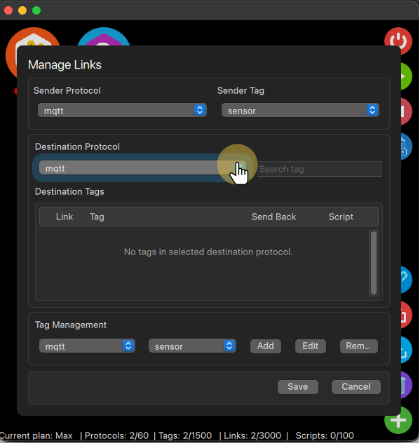
Then you can select the line with the link you want to remove and click the checkbox under the Link keyword to remove it, once it is without the check the link is removed, if this tag is also sending the data to the selected sender tag you will have the Send Back checkbox checked, you can also remove this link unchecking it.
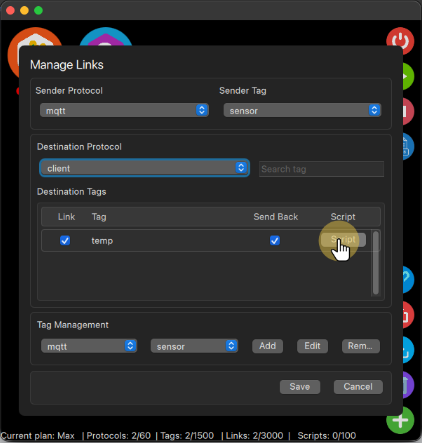
To keep the changes in the protocol, you still need to click the Save button, or click the Cancel button, thus keeping the previous configuration and the link as well.
Note: Removing the link will only stop this tag to post its data to the destination protocol tag, if the other protocol is still posting on this tag, then you should check this protocol tag’s links and remove it if it is the case.


