
To create a tag, first it is necessary to have a protocol created and configured, once you do have that you can open the protocol configuration form clicking on the protocol icon, and to add the new tag, first open the link dialog, clicking the links button.
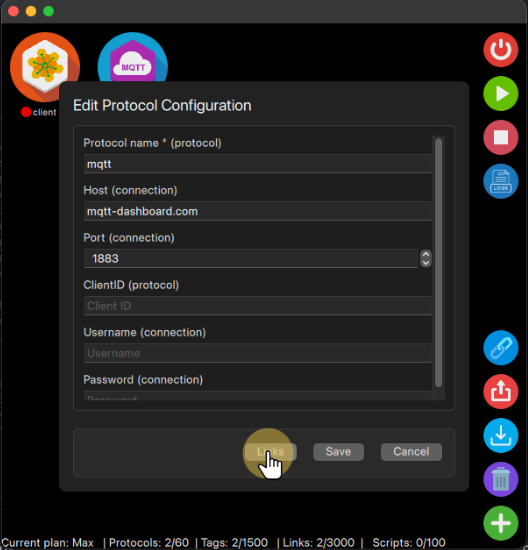
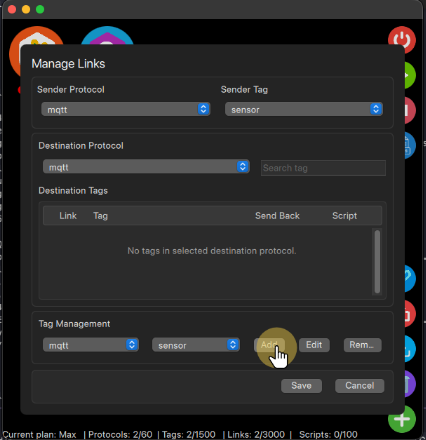
With the Links dialog open you can select the protocol in the tag management section and then click the add button to create a new tag for it.
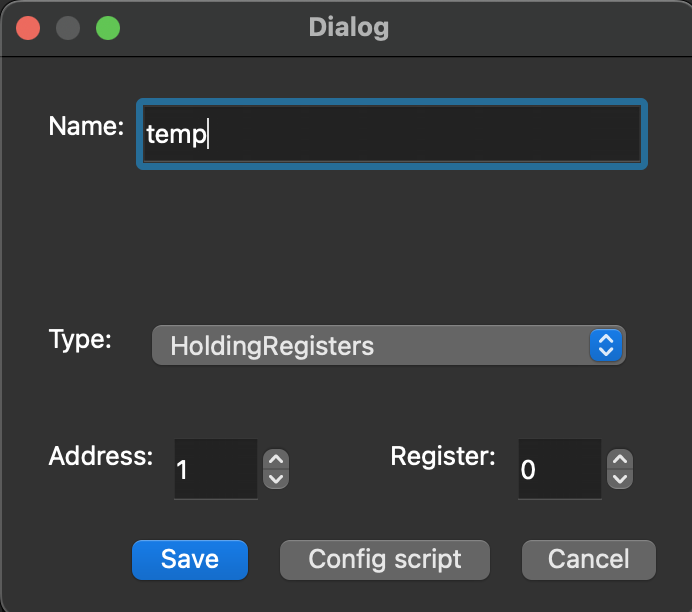
This will open a new form so you can fill the Tag configuration, this will vary from protocol to protocol, because you will have to link the Tag name to a specific variable within the protocol, that could be a topic when using MQTT or a register when using Modbus.
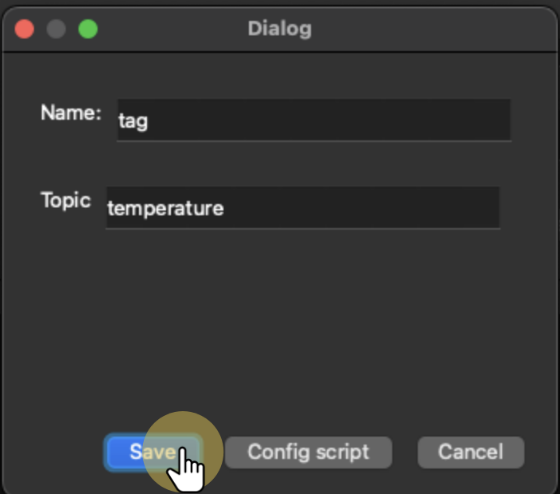
Once you have all the fields within the form filled, you can save and use the new created Tag to communicate with other protocols, sending or receiving data through it, for that you should check how to create links.


