How to create a script for a tag #
Once you have a tag, and you want to manipulate its data you can add a script and make the changes you need to it, like making a unit conversion or transforming a binary number into a real value, for that you can use any script language or binary supported by your hosting operating system.
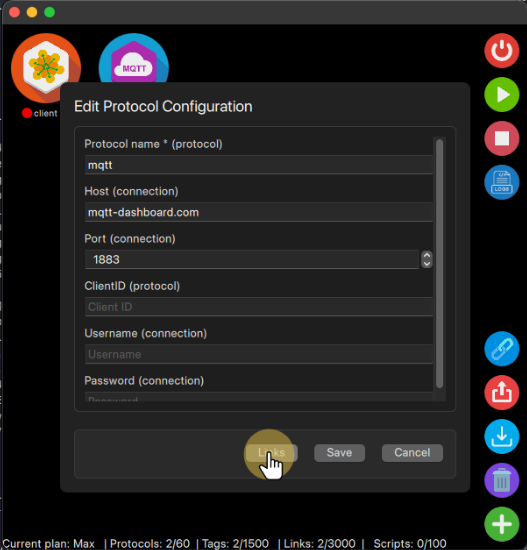
The first step is to select the tag you want to manipulate, to do so, open the Links form by either clicking the link button on the Prototocol Config form or the the bottom-right corner Links button.
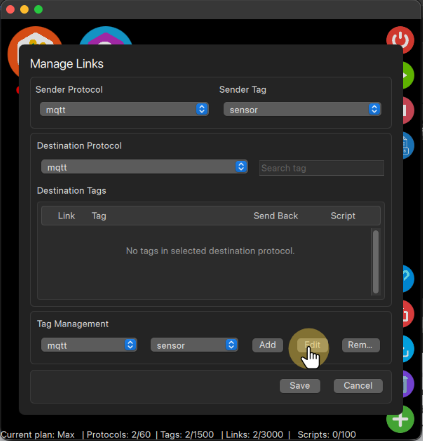
On the Tag Management section select the protocol and the Tag you want to add the script to, then click on the Edit button.
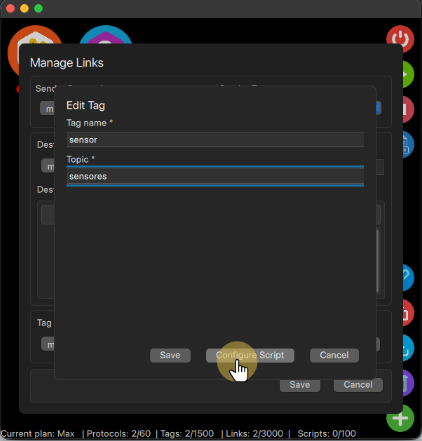
This will open the Tag form, there you can changes its configuration including the scripts, to configure the script just click on the Configure Script button.
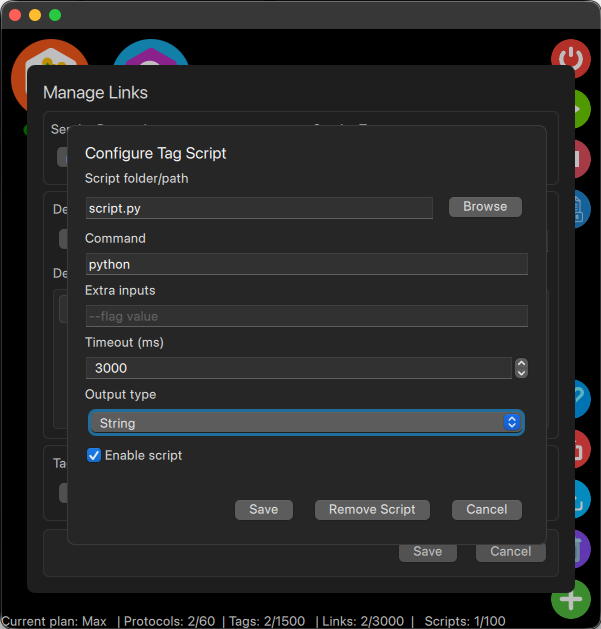
Within the Script form you will need to select the path to the script file that you wish to execute when the tag changes its value, the command to run it (python, bash or others, any extra inputs you script needs to run, the timeout (time your script has to run before being closed, to avoid long hang times) and the output type that will return to the tag as its new value.
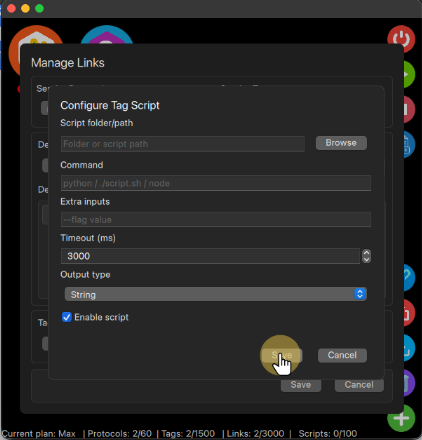
To keep the configuration, you need to click save in all configuration dialogs, otherwise the configuration will be lost.
How to remove a script from a tag #
Once you no longer need a script, you will follow the same steps to create one, but now on the script config dialog as it is already configured it will enable the remove button, so if you click on that and save the tag configuration dialog your script configuration will be deleted, if you cancel the tag configuration dialog the script will continue in the tag.